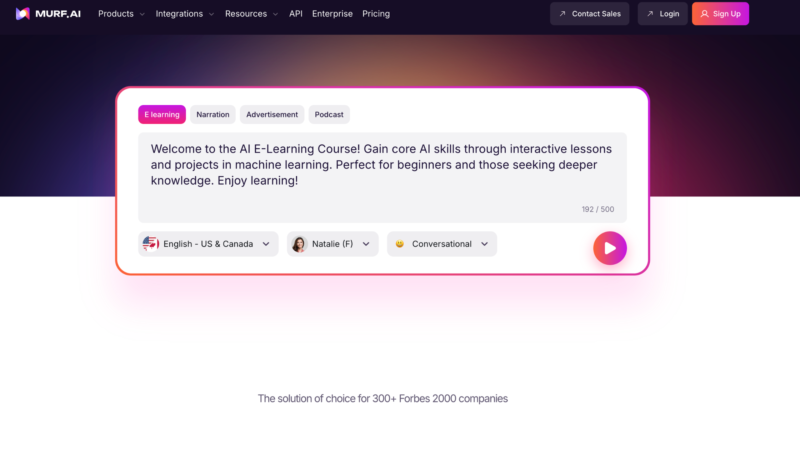
Producing professional voiceovers used to mean hiring voice talent, booking studio time, and going through multiple rounds of revisions. Tools like Murf.ai aim to replace that entire process with AI.
Unlike many text-to-speech tools that still sound obviously synthetic, Murf has invested heavily in making its voices sound more natural. It also includes a built-in editing studio, which means you can write, generate, edit, and export voiceovers without jumping between multiple tools.
For creators producing narrated content — training videos, YouTube explainers, product demos, or marketing content — Murf positions itself as an all-in-one voice production platform rather than just a basic TTS generator.
So how well does it actually work?
What Is Murf.ai?
Murf.ai is a cloud-based AI voice generation platform that converts written text into natural-sounding speech.
The platform offers 200+ voices across more than 20 languages, along with a browser-based studio where you can edit scripts, control delivery, and sync narration with media assets like images, video, and background music.
What makes Murf different from many basic TTS tools is its production workflow.
Instead of simply pasting text and downloading audio, the studio lets you:
- Adjust pacing, pitch, and emphasis
- Insert pauses between words or sentences
- Assign different voices to different sections
- Add background media
- Export fully produced voiceovers
For teams producing high volumes of narrated content — especially e-learning, product demos, and training videos — having everything in one place can significantly simplify the workflow.
Voice Quality and Customization
Murf’s Gen2 voice model was trained on 70,000+ hours of ethically sourced speech data, and the results are noticeably more natural than older text-to-speech tools.
For structured narration — things like tutorials, explainers, presentations, and training material — the voices generally sound polished enough that most listeners won’t immediately notice they’re AI-generated.
Where Murf really stands out is control over delivery.
You can adjust:
- Speed and pitch
- Word-level emphasis
- Sentence pacing
- Pause timing
The platform also includes a feature called “Say It My Way.”
You record yourself reading a line, and the AI uses that delivery as a reference for how it should generate the voice.
This helps solve a common frustration with TTS tools: when the AI reads a line in a way that technically makes sense but doesn’t match the tone you had in mind.
Another useful feature is the Pronunciation Library, which allows you to train the system on brand names, acronyms, and technical terminology. Once saved, those pronunciations apply across future projects.
If you regularly produce content with specialized vocabulary, this can save a lot of manual corrections.
The Studio Experience
One of Murf’s biggest strengths is its built-in production studio.
The interface uses a simple timeline layout where you can:
- Structure your script
- Assign different voices to sections
- Add music or visuals
- Preview narration in real time
For creators who normally jump between a TTS tool, an audio editor, and a video editor, consolidating everything into one workspace can make production significantly faster.
Murf also integrates with tools many creators already use, including Canva and Google Slides.
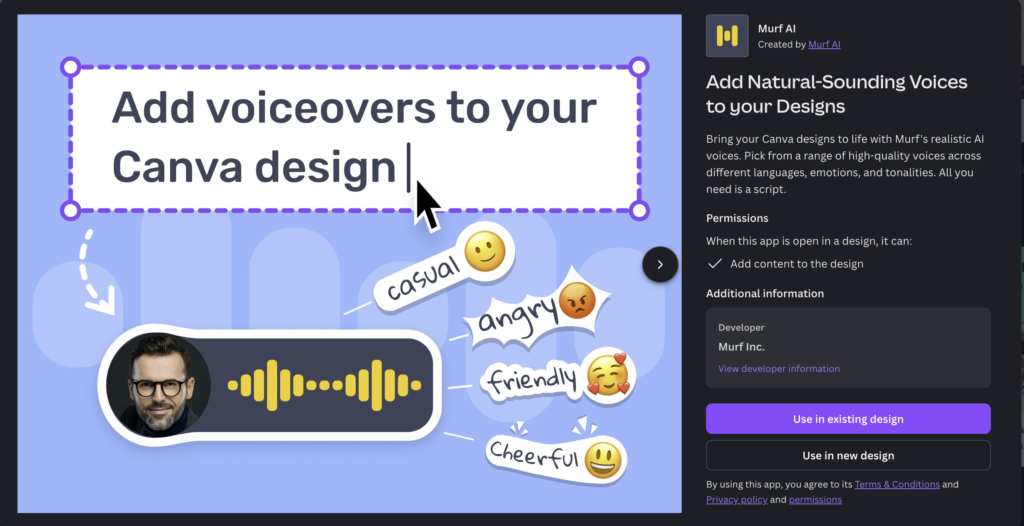
The Canva integration is particularly practical — you can add AI narration directly to presentations or social media videos without exporting and re-importing audio files.
Dubbing and Translation
Murf also includes AI dubbing, which can replace voiceovers in existing videos across multiple languages.
The system attempts to preserve timing and lip-sync while generating new narration. For companies producing content for international audiences, this can dramatically reduce the time and cost of localization.
Another interesting feature is MultiNative code-mixing, which allows a speaker to switch languages mid-sentence. This reflects how many global marketing teams and creators actually communicate.
Script translation is available on higher-tier plans and allows you to generate localized narration with tone adjustments.
Where Murf.ai Falls Short
Like most AI voice tools, Murf still struggles with emotional nuance.
The voices work well for structured narration — tutorials, explainers, corporate presentations — but they’re less convincing for content that requires personality or emotional depth.
Things like sarcasm, humor, dramatic pauses, or conversational warmth can still feel slightly off.
For audiobooks, storytelling, or personality-driven content, human voice actors will almost always deliver better results.
Another limitation is the free plan, which allows only 10 minutes of generation per month and doesn’t allow downloads. It’s enough to preview the voices but not enough to actually produce content.
Pronunciation errors can still appear with unusual names, technical terms, or mixed-language scripts. The Pronunciation Library helps, but it requires some upfront setup.
And some of the more compelling features — like AI translation — are restricted to enterprise plans, which may put them out of reach for smaller creators.
Murf AI and Canva
Murf AI is now an app within Canva, allowing you to create voice-overs directly in your Canva designs. This could be especially useful for creating quick-turn social media and marketing campaigns — especially for multi-lingual ads and social media posts.
Enterprise Features and API
Murf is one of the more enterprise-ready platforms in the voice AI space.
The company reports compliance with:
- SOC 2 Type II
- ISO 27001
- ISO 42001 (AI management)
- HIPAA
- GDPR
For organizations operating in regulated industries — healthcare, finance, or education — those certifications can remove a major barrier to adoption.
For developers, Murf also offers the Falcon API, which allows companies to integrate voice generation directly into their own products.
The API advertises:
- ~55 ms model latency
- ~130 ms time-to-first-audio
- Data residency across 11 regions
Pricing is currently listed around $0.01 per minute of generated audio, which is competitive for teams building voice features into applications.
Pricing
As of publishing, Murf.ai offers four pricing tiers:
Free
10 minutes/month, voice previews, no downloads, 2 projects
Creator — $19/month (annual billing)
24 hours of generation per year, 5 projects, commercial license
Business — $66/month (annual billing)
96 hours/year, team collaboration, voice changer, priority support
Enterprise — Custom pricing
Unlimited hours, AI translation, voice cloning, advanced integrations
Students, educators, and nonprofits receive a 20% discount, which can stack with annual billing.
Who Murf.ai Is Best For
Murf.ai is best suited for teams that produce a steady stream of narrated content — especially:
- E-learning creators
- Corporate training teams
- Marketing departments
- Video producers
The built-in studio, strong voice quality, and integrations make it a practical production tool rather than just a novelty AI feature.
Where it’s less ideal is content that relies heavily on performance or personality, like podcasts, audiobooks, or narrative storytelling.
In those cases, AI voice tools can be useful for drafts or internal previews — but a human voice actor still provides the most natural final result.
Head over to Murph.ai to test the voice AI voice generator for free.